We know you have a lot of choices in inventory management systems, but we believe that Carousel Shop AI is the strongest and most comprehensive tool to power your reselling business. We built it for the way resellers actually work - antique mall booths, thrift stores, estate sale companies, flea markets and online marketplaces.
Three free item analyses and three price checks on iPhone before you sign up for anything.
Point your camera at a piece and find out what it is and what it is worth.
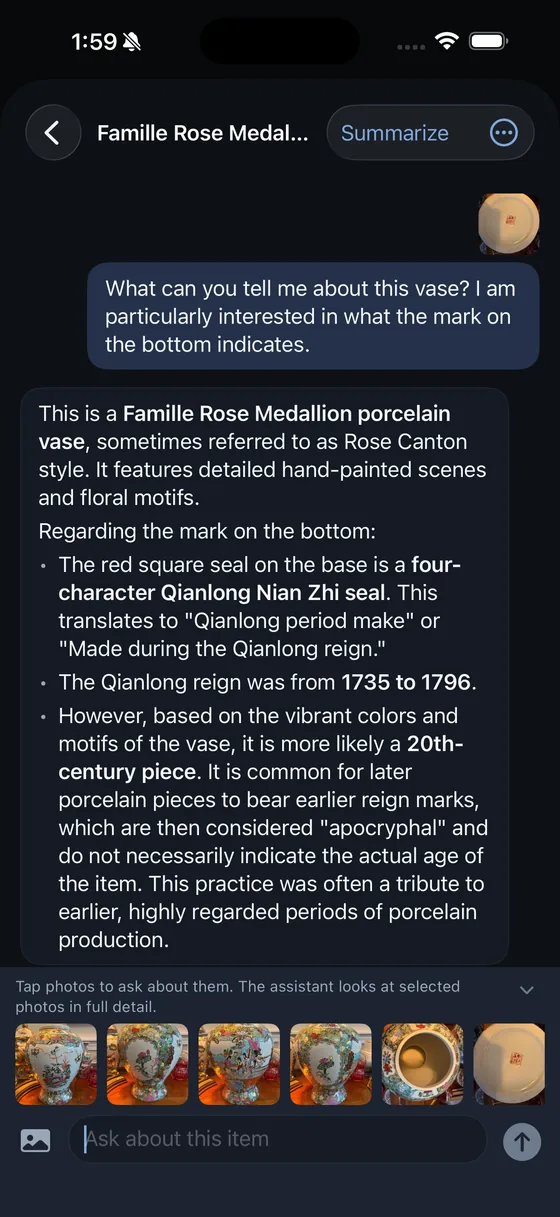
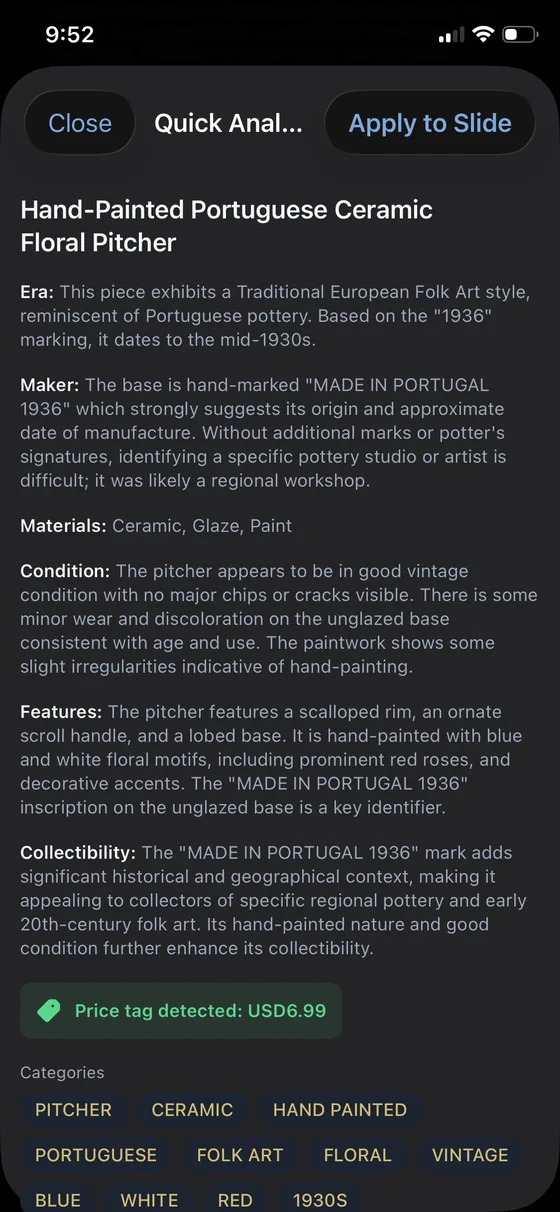
Take a picture and get an assessment back in seconds: age, maker, materials, condition, distinguishing features and collectibility. It reads the hallmarks. A "MADE IN PORTUGAL 1936" stamp on an unglazed base becomes a date, an origin and a note that the mark itself is what collectors of regional pottery will care about.
It reads the price sticker too. Snap a Goodwill tag and the $6.99 is automatically added as your acquisition price, so your cost basis is captured at the moment you buy rather than from memory later on.
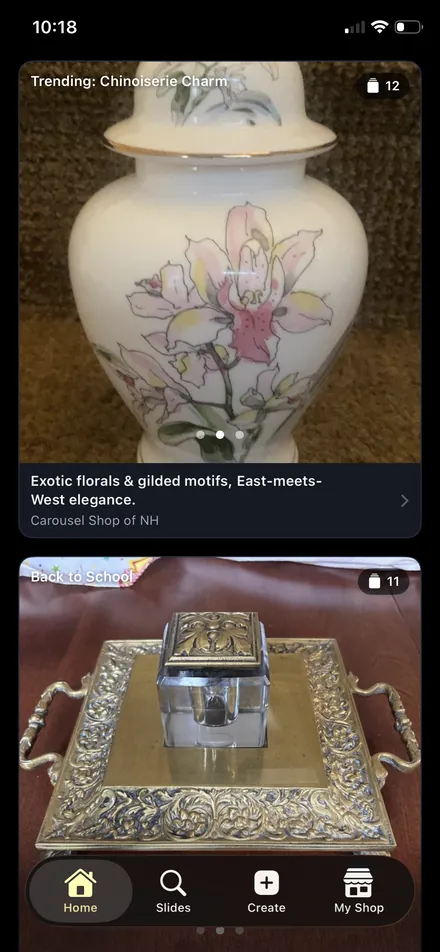
Categories are added in the background to power useful searching later on. Maybe you didn't remember buying that Brass School Bus K-12 Photo Frame last February, but Carousel Shop AI will pull it up when you are searching for items for your Back to School display in August.
iPhone and web
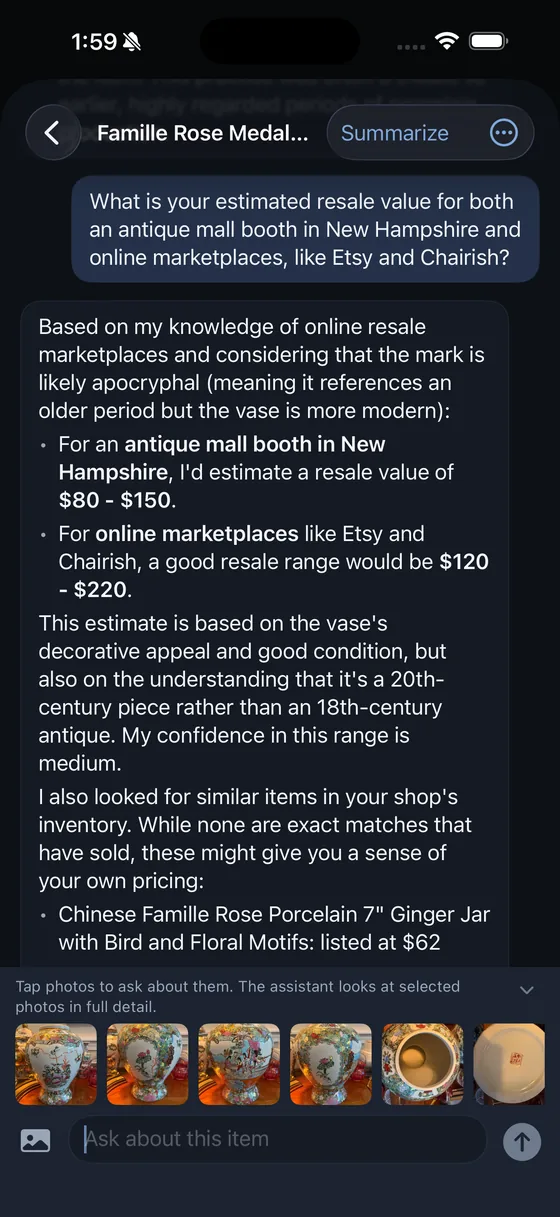
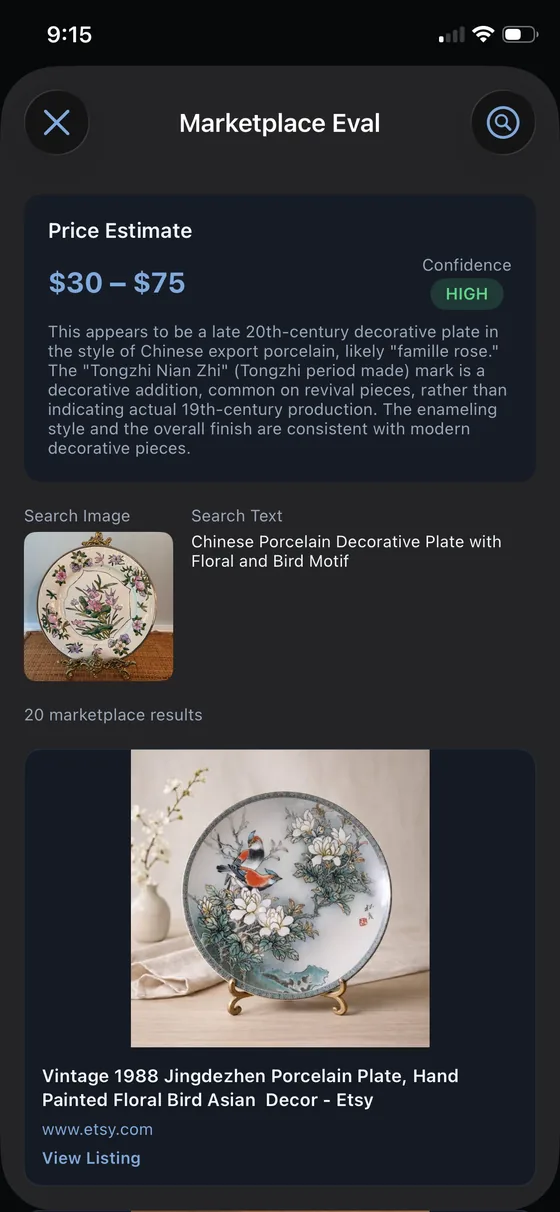
Search live marketplace listings for comparable pieces, including reverse image search, and get a price range with a confidence rating and a written explanation of how it got there. Every listing links out so you can judge the comps yourself. Searches run live every time, never from a cache, because a stale comp is worse than no comp at all.
iPhone and web. Works on a new photo or on something already in your inventory.
"This appears to be a late 20th-century decorative plate in the style of Chinese export porcelain, likely famille rose. The Tongzhi Nian Zhi mark is a decorative addition, common on revival pieces, rather than indicating actual 19th-century production. The enameling style and the overall finish are consistent with modern decorative pieces."
The explanation behind the $30 to $75 range shown here
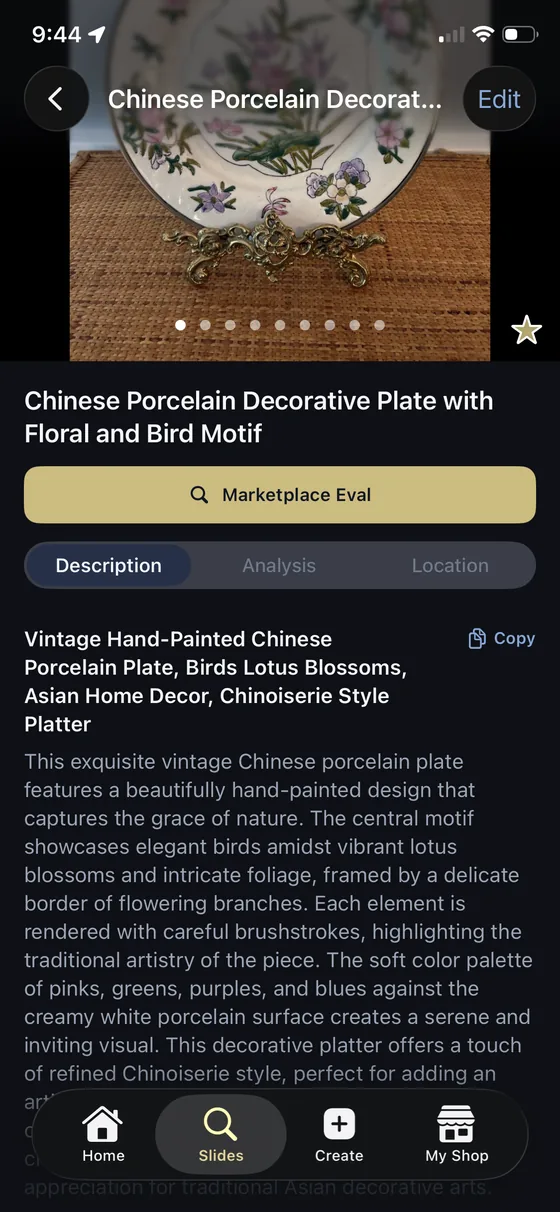
The same analysis produces a customer-facing description, a marketplace listing title and tags, ready to paste wherever you sell. It is tuned against AI cliche and varies its opening line item to item, so your listings do not all read as though a machine wrote them. Use it for inspiration or paste it right into your listing form. Whatever works best for you.
iPhone and web. One-tap copy to clipboard on iPhone.
The camera stays open between shots, so you can photograph the piece, the maker's mark and the chip on the rim in one go. Up to ten photos per item. iPhone photos convert automatically and every image gets fast-loading versions generated for you.
iPhone has a purpose-built camera. The web app captures in your browser with nothing to install.
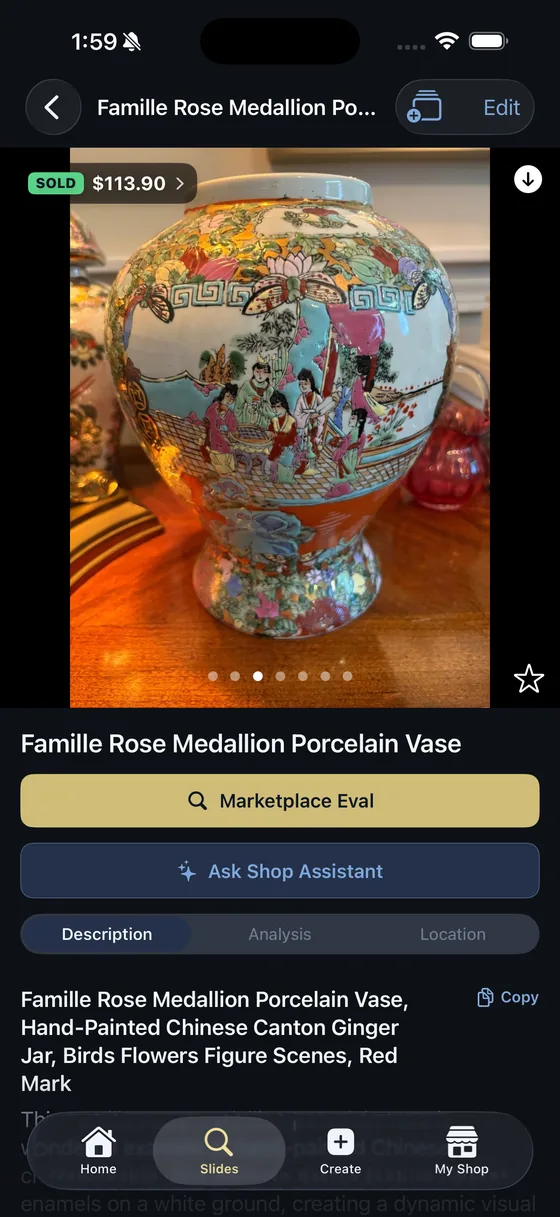
Inventory built around how a reseller thinks, not a retail SKU system.
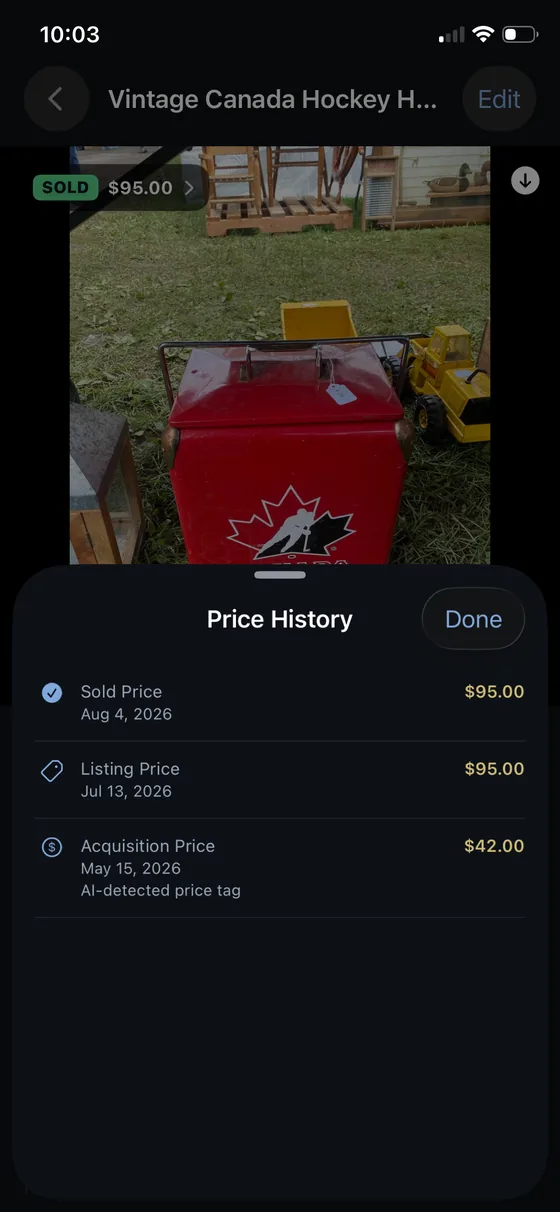
What you paid, what you are asking, and what it sold for, as separate dated entries. Bought in May, listed in July, sold in August, and the whole story stays with the piece: what it cost you, what you got, and how quickly it sold, plus any internal notes you add.
When Quick Analyze reads a price sticker, that first entry writes itself and is labelled so you know where the number came from. It will never overwrite a figure you entered yourself. Recording a sold price marks the item sold, so nothing needs remembering.
Your cost basis stays yours. Clients never see it.
iPhone and web. Multiple currencies on the web.
Keep a private description and internal notes for condition thoughts and sourcing details, and a separate customer-facing description for the people you sell to. The internal ones never leave your shop.
iPhone and web
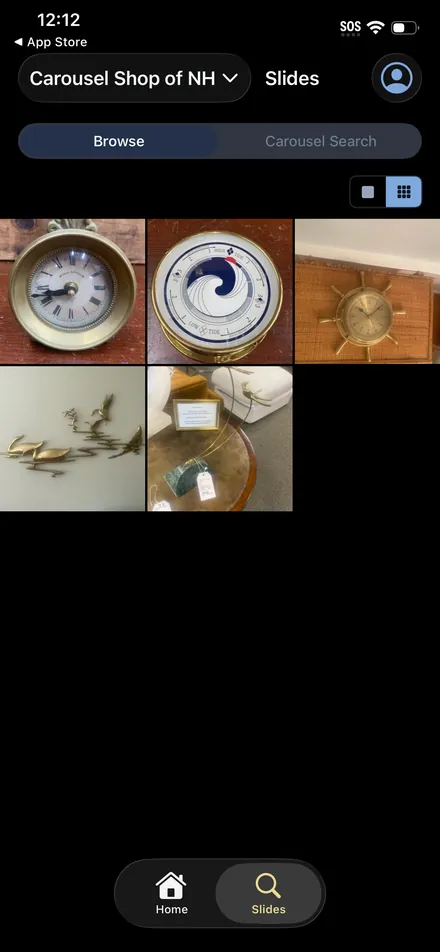
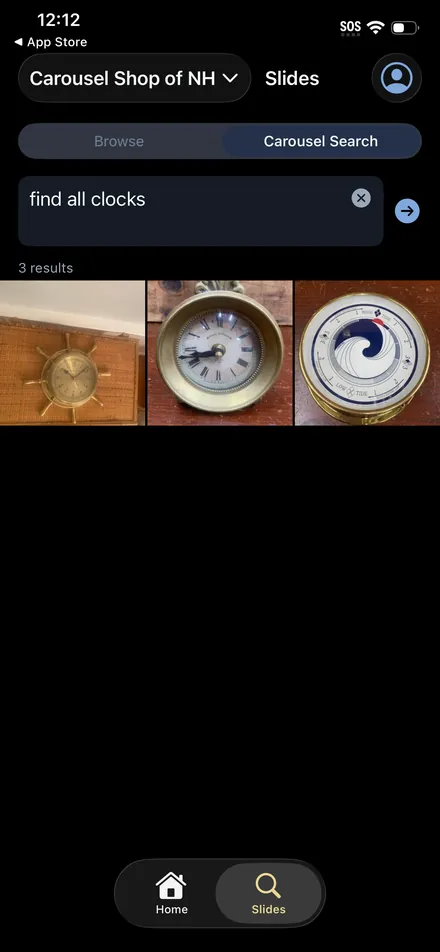
Carousel Search understands "anything brass" or "Christmas holiday items" and works out which of your own categories match, then tells you in a sentence what it searched for. Alongside it, filter by category, location, favourites, and whether something is active or sold.
It also understands more complex searches so you can cast a wide net when planning a new collection - porcelain tea sets and silverplate serving pieces will return a set of results that includes both.
iPhone and web
If you already have hundreds of items in a spreadsheet, this is the question you actually need answered.
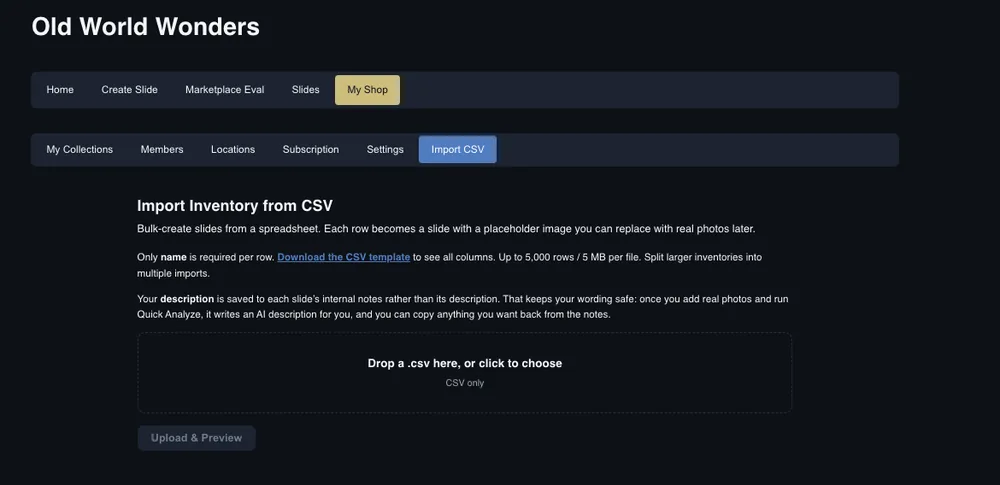
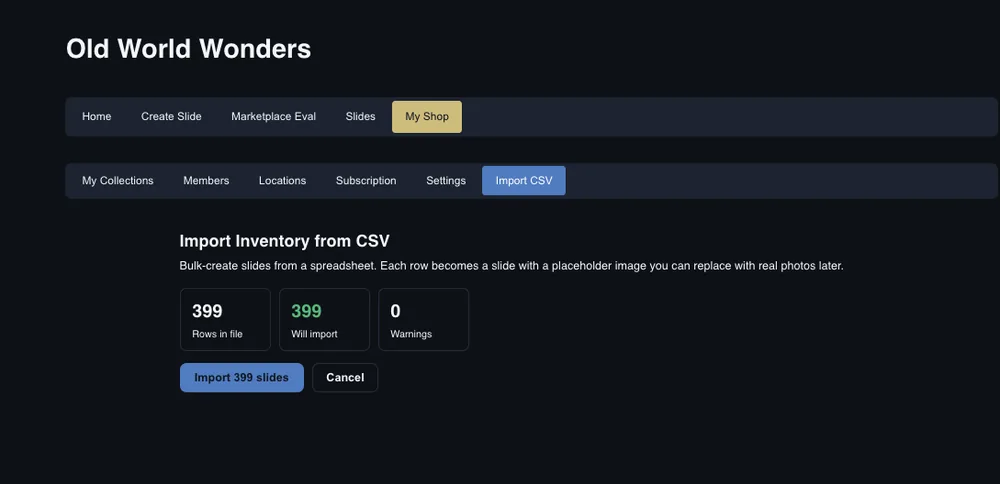
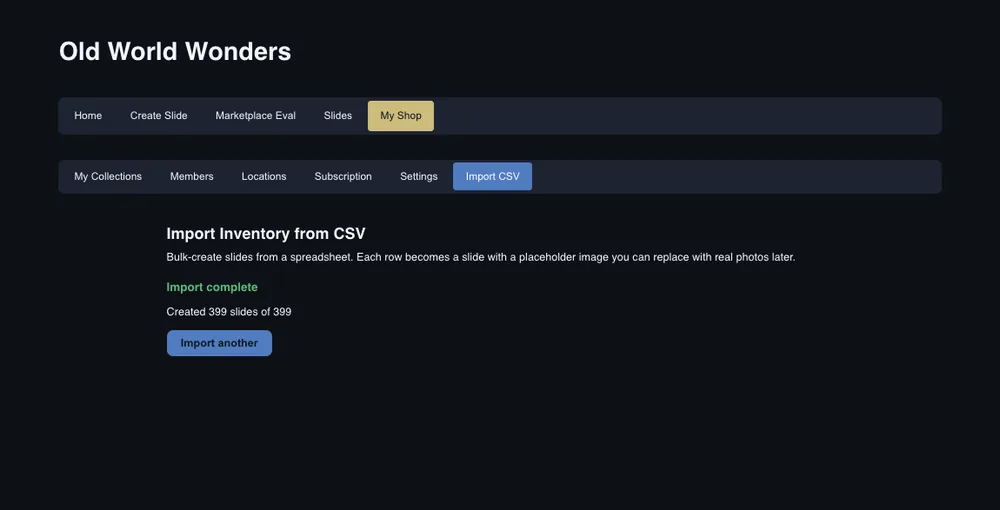
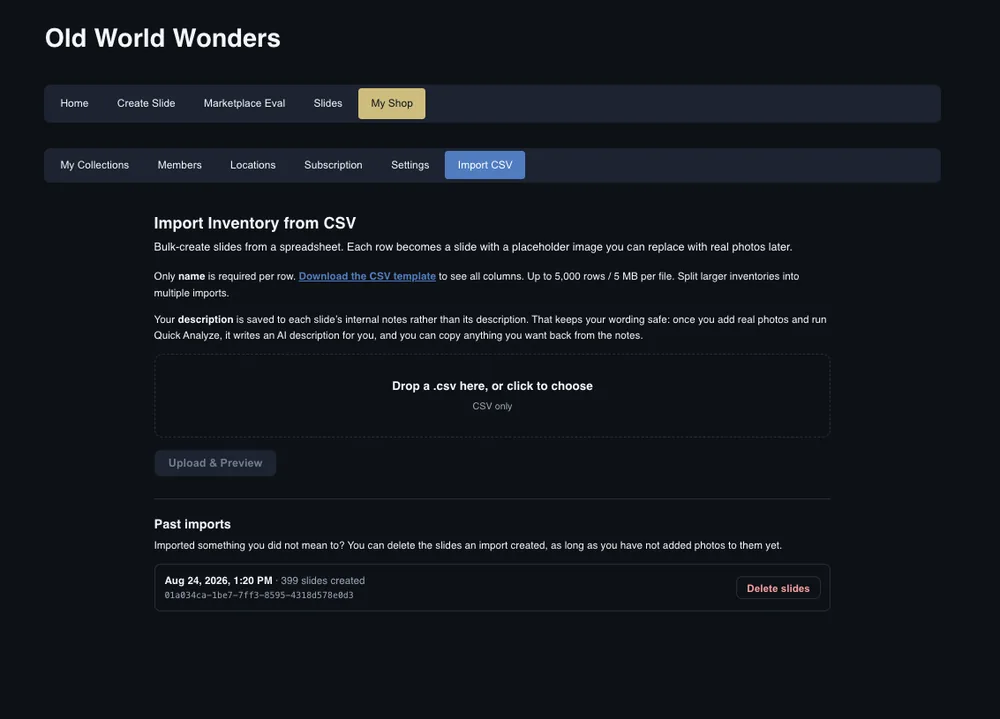
Upload a CSV and every row becomes an item. Up to five thousand rows at a time, and only a name column is required. Everything else, your prices, dates, categories, locations and notes, comes across if you have it and is skipped if you do not.
You see what will happen before it happens. Drop the file and the app tells you how many rows it found, how many will import, and how many need attention, with the reason for each. Nothing is created until you say so.
And if it was wrong, you can undo it. Delete everything an import created, and the cleanup skips anything you have already added photographs to. Getting it wrong the first time costs you a minute, not an evening.
Your own descriptions land in each item's private notes rather than the customer-facing field, so the wording you spent time on survives the move and is still there after the AI writes its version.
Web. Owners and admins.
Never miss another trend on the upswing because you can't locate an item.
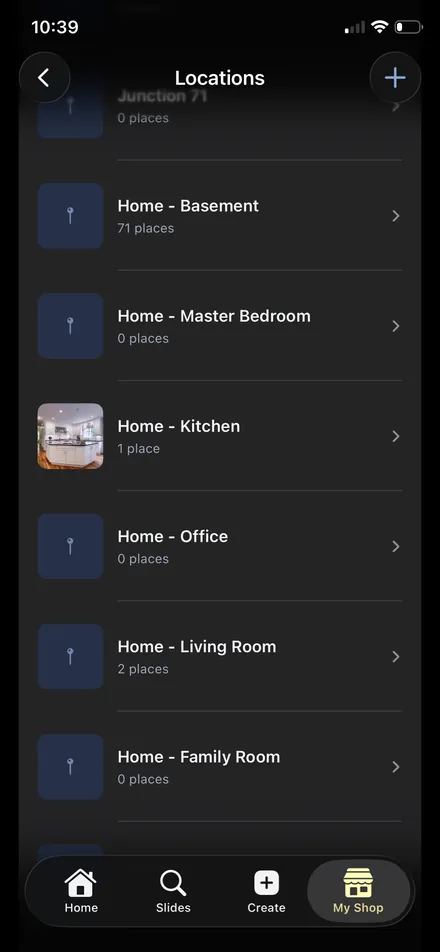
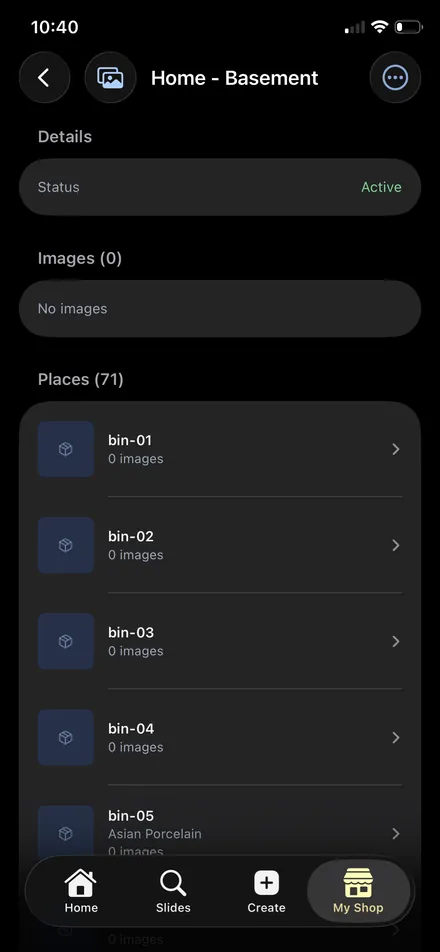
A Location is the booth, the storage unit, the basement, the spare room. A Place is the bin, the shelf, the cabinet inside it. Whether it's Storage Unit 2, Bin 4 or Dining Room, Corner Cabinet, you will know exactly where to find an item based on your own locations and how you use them.
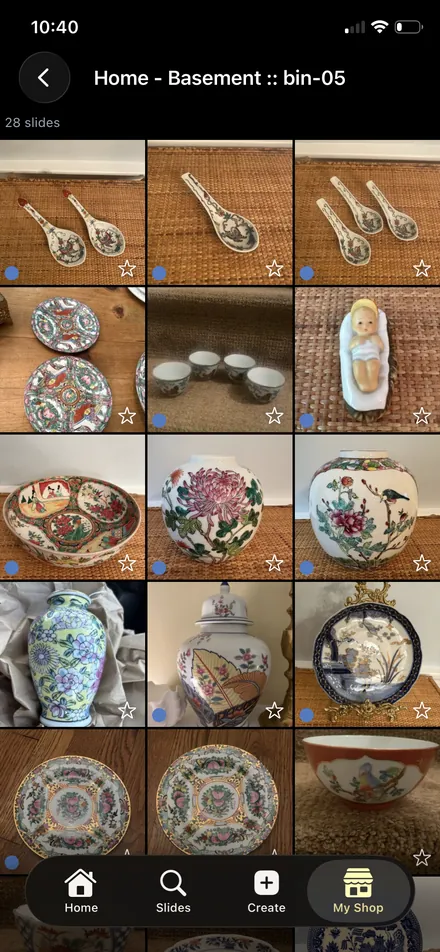
Open a bin and you see everything in it on your screen. Pull up one item slide and you see what else is sitting in the same bin, which is the difference between one trip to the basement and three. If you are going down for the famille rose bowl, you can see the twenty-seven other pieces in bin-05 before you go, not after you have come back up.
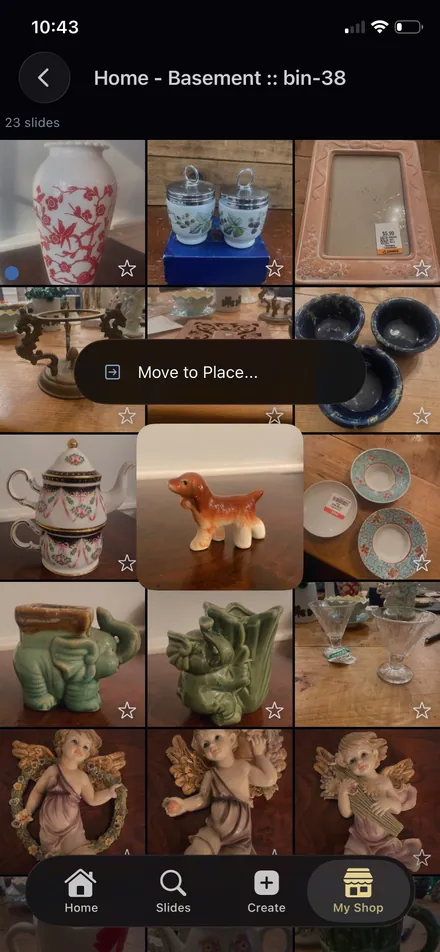
Things move, and the app assumes they will. Long press a Place and send it to another Location: when bin-05 goes from the basement to the storage unit, everything inside it goes too, with no re-tagging. Same gesture moves a single item from one bin to another.
iPhone and web. Managed under My Shop, Locations.
Curate and share pieces directly with your best clients.
Plenty of platforms help you sell things to whoever turns up. This is for the dealer or decorator hunting on behalf of people they know: the client who collects one maker, the decorator furnishing a particular room, the collector waiting on the right piece.
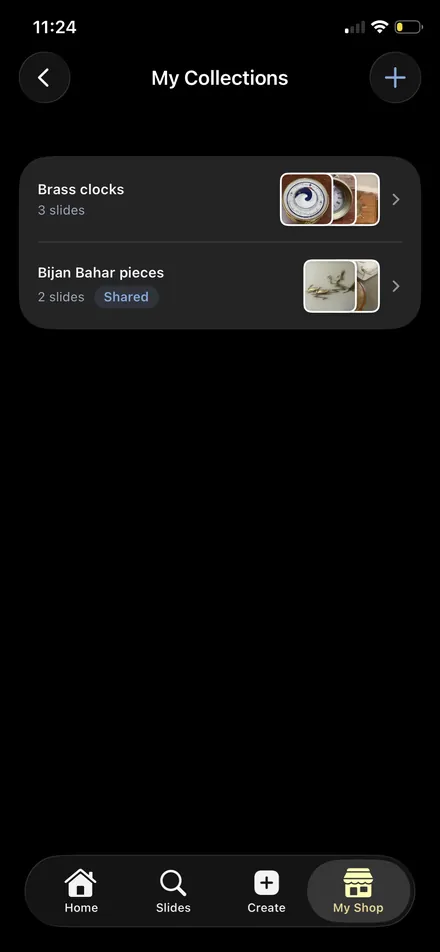
Hand-pick a collection for one person and share it with them. They open the app and see exactly the pieces you chose, with your asking price. Not your cost, not where you found it, not your notes, not another client's selection, nothing you did not choose. Update it whenever you like, or stop sharing with a tap.
It is the digital version of setting things aside for a good client and calling them when you have something, except they can look whenever they want and you are not texting photographs.
What you share is not a filtered view of your inventory. It is the whole of what exists for them. Your client opens your shop and finds the pieces you chose. There is no rest of it to stumble into. Stop sharing a collection and those pieces leave their view altogether.
Inside that, they get real tools rather than a slideshow. They can browse what you sent and search it in plain English, and every answer comes back from the set you picked. Someone can be a client of several dealers at once, and each shop stays in its own world.
iPhone and web. Requires Business or Business Plus, since clients count as shop members.
An item has to be published, and each photograph within it published, before anyone outside your shop can see it. Try to share a collection containing something unpublished and it stops you, and tells you exactly which items need attention.
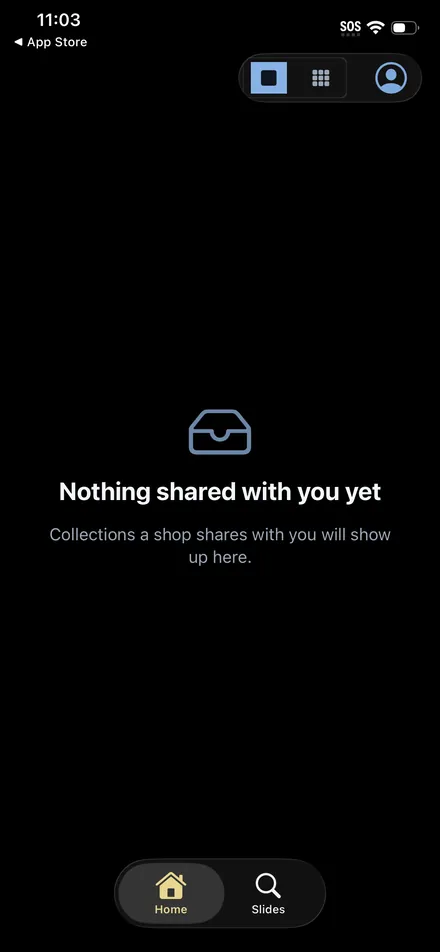
The default is not a locked door with your inventory behind it. The default is an empty room. Until you share something, a client signing in finds nothing at all, because for them there is nothing there.
iPhone and web
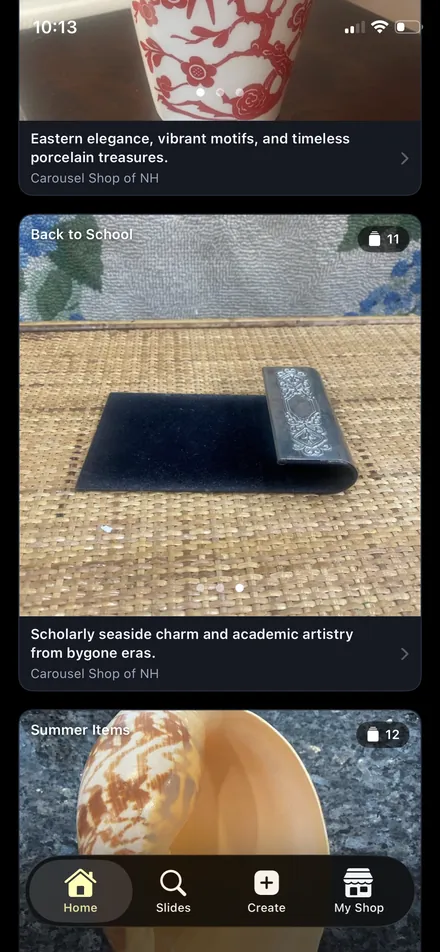
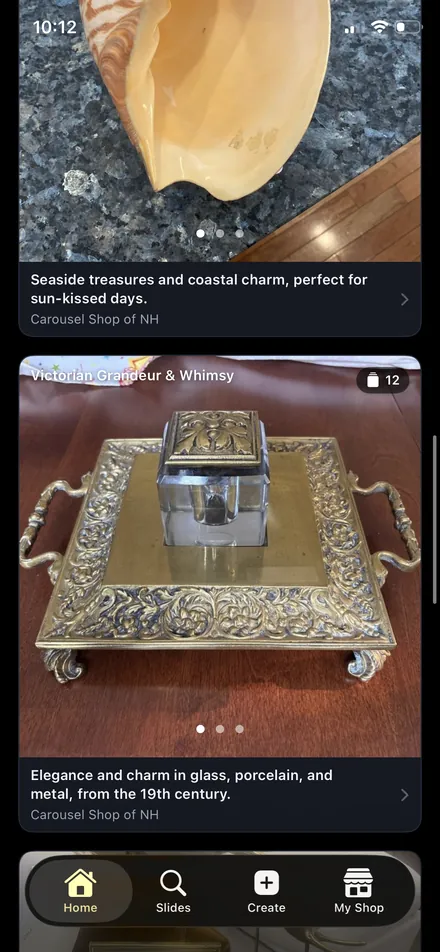
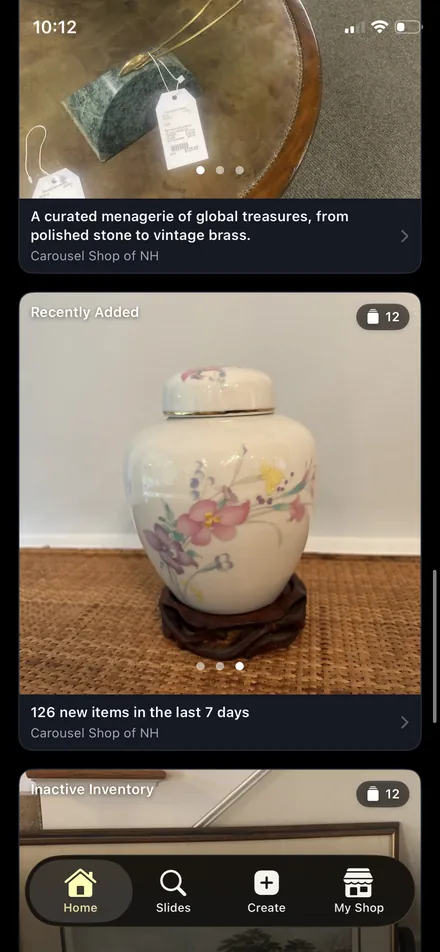
Your home feed is not a wall of everything you own. It is a set of collections the app assembled overnight, each with a line explaining why those pieces are together.
Ahead of a holiday or a season it surfaces what you already own that suits the occasion, so your back to school stock or your summer pieces come out of the back room while there is still time to sell them. The calendar runs to thirty-one windows throughout the year. Alongside those it finds themes in your own inventory, follows what is trending, and keeps an eye on the housekeeping: what came in this week, and what has been sitting untouched.
iPhone and web. Collections start appearing once you have added a handful of items.
Nearly everything works in both places. Here is what does not.
| iPhone | Web | |
|---|---|---|
| Capture, AI tools, inventory, collections, client sharing | Yes | Yes |
| Try the AI without an account | Yes | No |
| CSV import | No | Yes |
| Copy listing text to clipboard | Yes | No |
| Choose a currency on a price entry | US dollars only | Yes |
| Street address on a location | Yes | No |
| Password recovery | Use the web | Yes |
| Billing | Apple | Card, on the web |
Subscriptions are managed wherever you started them. Apple also allows one subscription per Apple ID, so a second shop subscribes on the web.
Download the app and run the AI on a real piece. Three item analyses and three price checks, no account, no card.
Every plan includes a free 30-day trial. No credit card required.